Access Required
This case study is protected due to confidentiality agreements and is intended only for professional viewing.
To request access, please email leahyangmsx@gmail.com.
2025

JUNO AI
I led the end-to-end design on the AI Case Intake experience — turning unstructured documents into a structured, verifiable case foundation for litigation firms.
Role
Design Owner
Team
1 product manager
1 designer
Juno Engineering Team
Skills
Design System
Competitive Analysis
Prototyping
Agent Interaction Design
Branding/Visual Design
Duration
6 months
Official Website
junolaw.ai
But attorneys' struggles on intake are real:
5–7 hours per case.
Every case.
One full work day.
01/
Time-consuming intake
Reviewing, organizing, and extracting information from documents took 5–7 hours per case.
02/
Risk of missing critical info
Manual review made it easy to overlook details, leading to incomplete or inaccurate case data — with real legal consequences.
03/
Fragmented workflow
A single case could involve ten or more parties, each with their own documents. Lawyers jumped between documents, notes, and tools to piece the story together.
FLAW
01/
No transparency
Users saw questionnaire filled without knowing where data came from, all hided in a "black box".
FLAW
02/
Disconnected workflow
Documents and extracted data were separated, users have to go back and forth to validate info in context.
FLAW
03/
Constrained interface
Small modal UI makes it impossible to review real documents.
How migh we
design an AI system that is autonomous enough to save time, but transparent to be trusted in high-stakes legal work?
DESIGN OPPORTUNITIES
AI-powered automated document sorting and information extraction reduce manual effort, while a guided review flow streamlines the intake process from hours to under one hour.
Structuring + Guided Workflow
DESIGN OPPORTUNITIES
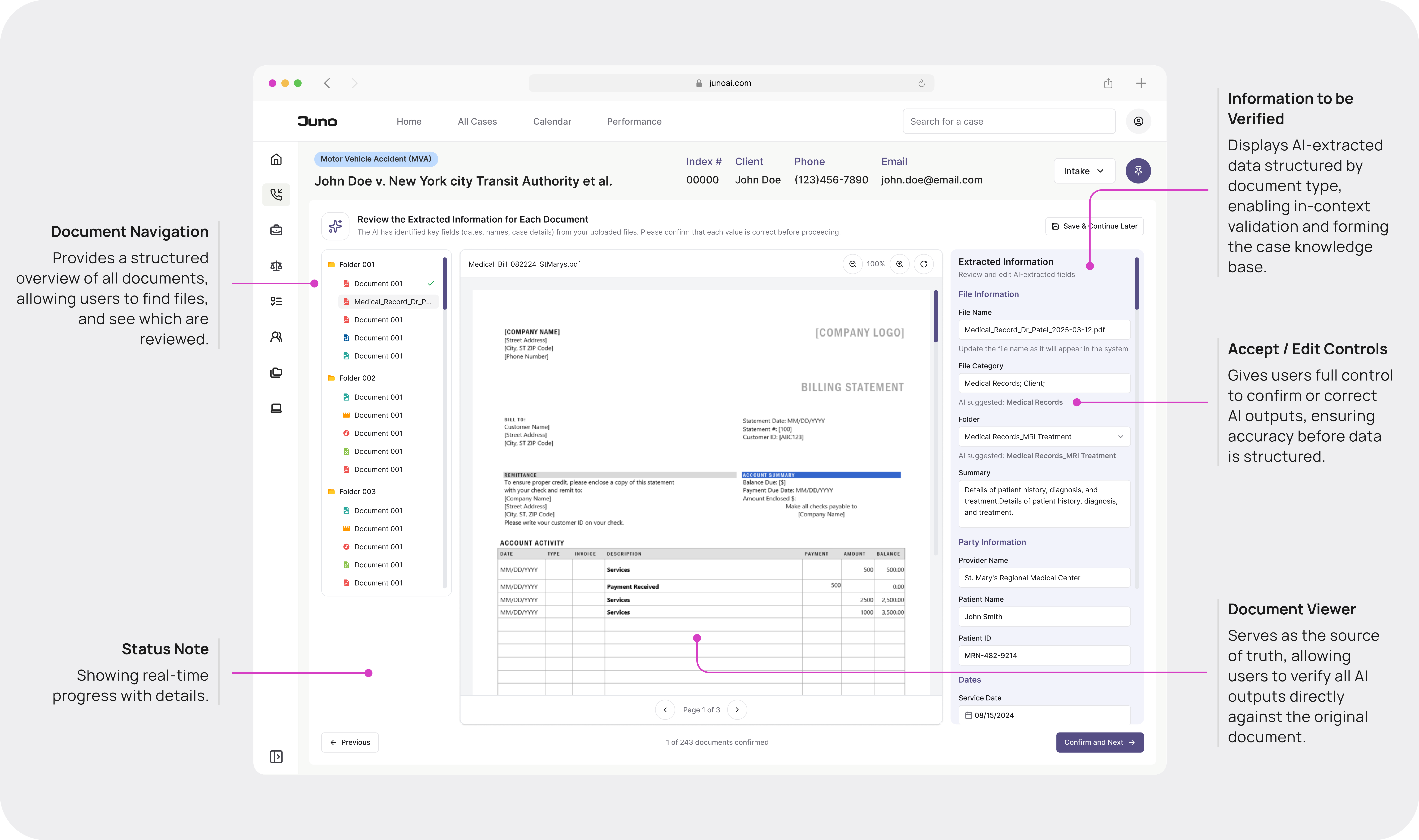
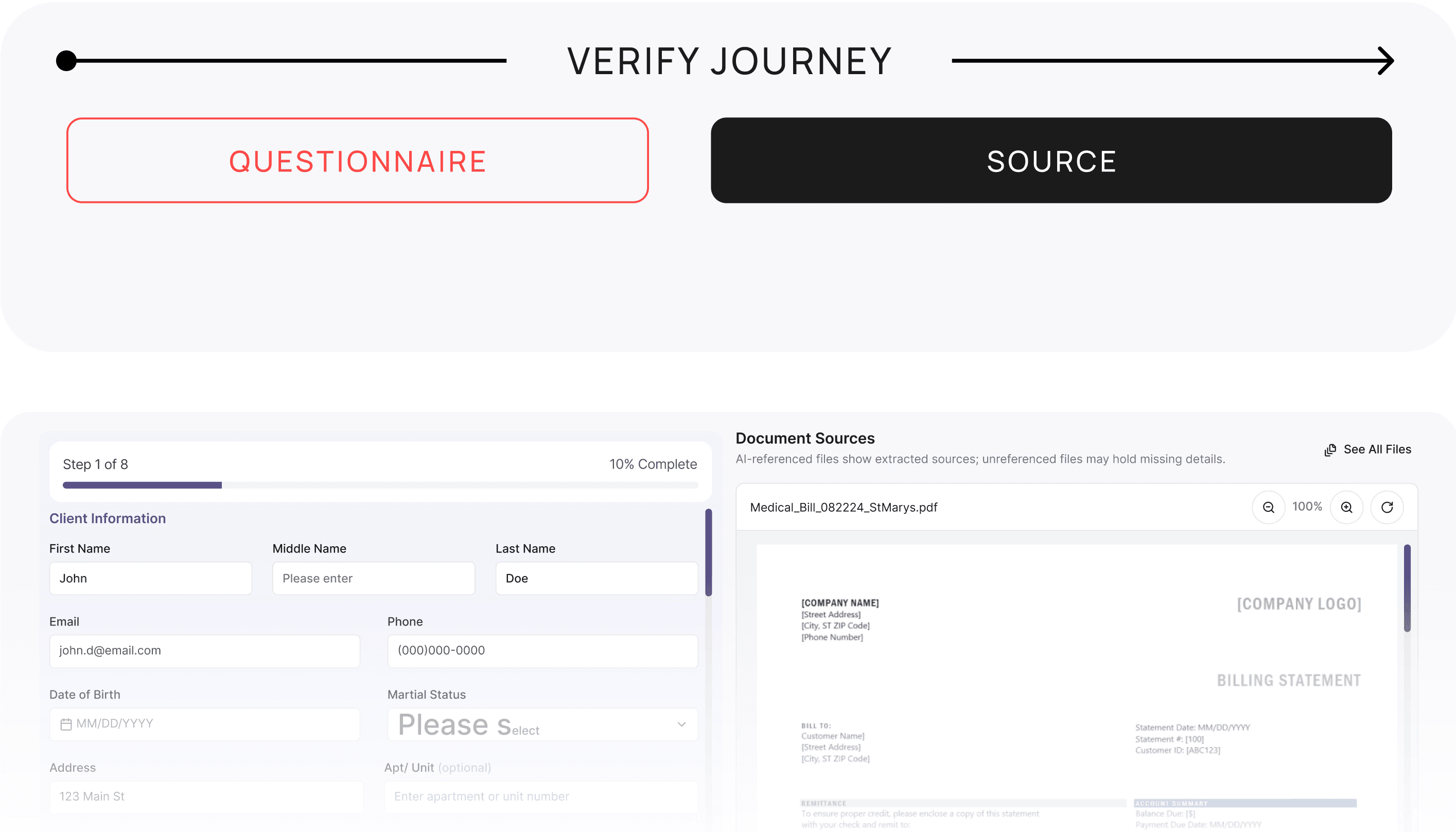
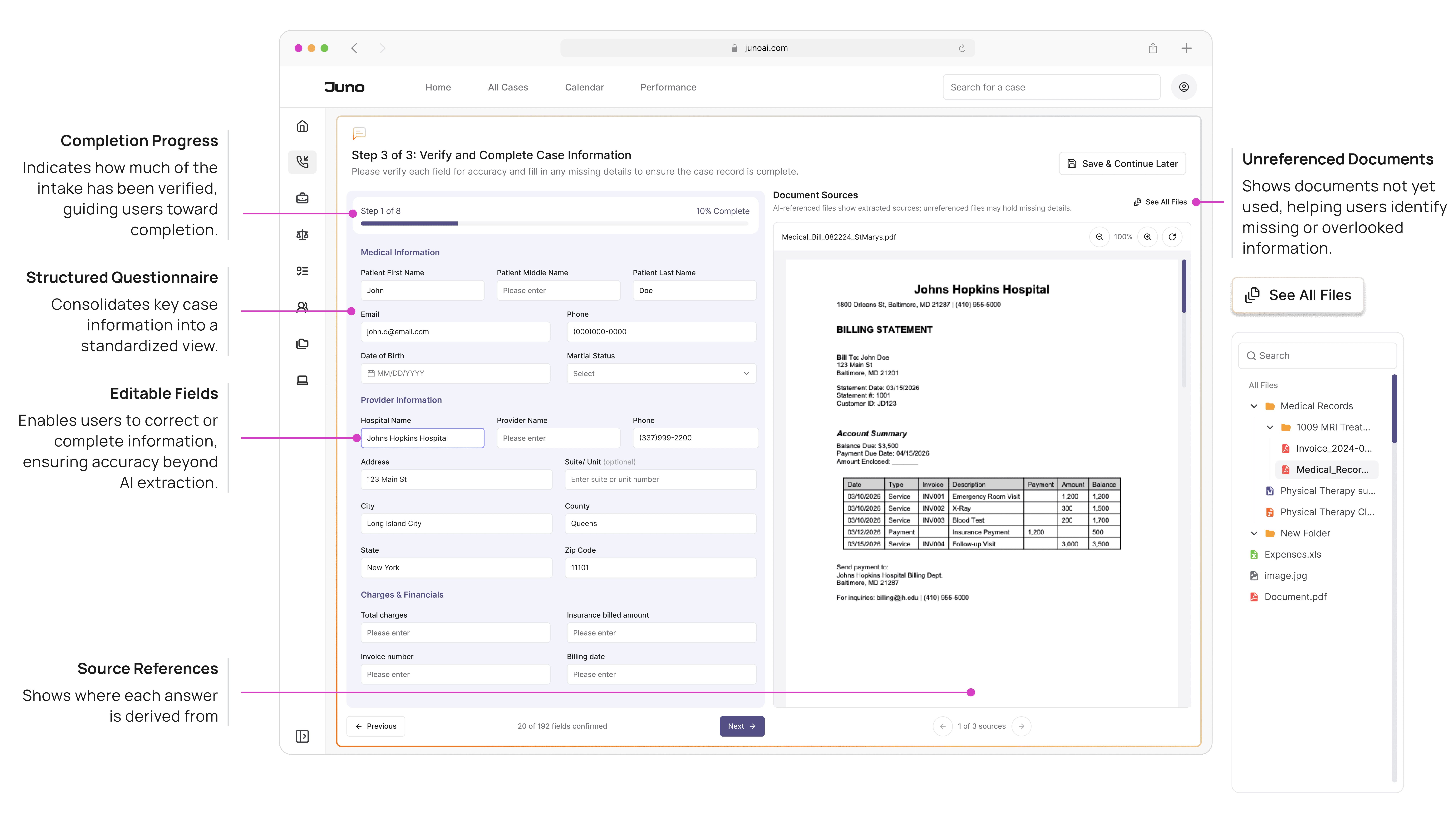
Extracted data is directly linked to source documents, allowing users to verify information in context and ensure accuracy before it becomes part of the case record.
In - Context Validation with Linked Source
DESIGN OPPORTUNITIES
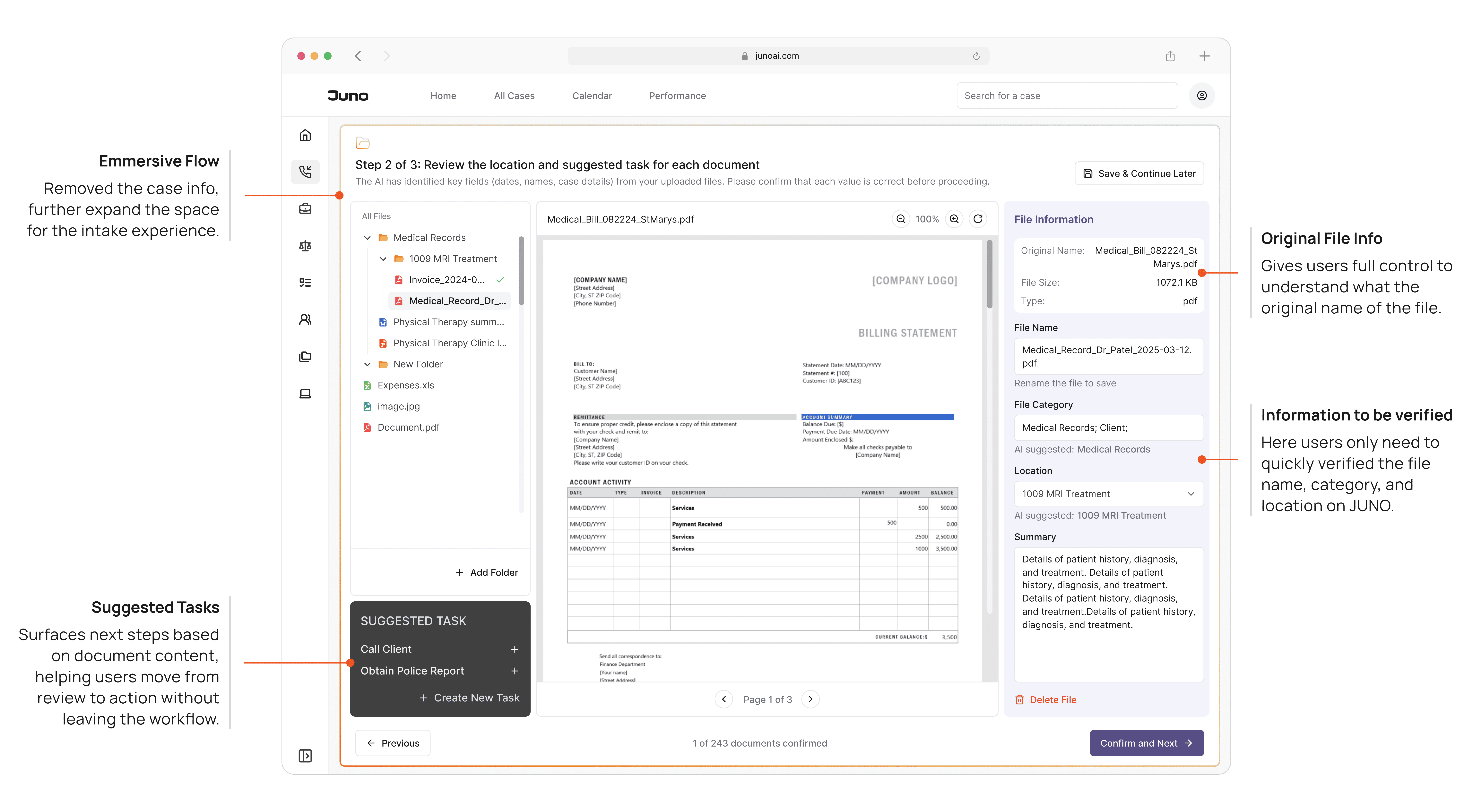
A unified interface brings document navigation, reading, and validation into one view, reducing context switching and enabling a continuous review experience.
3 - Panel Workspace
MENTAL MODEL
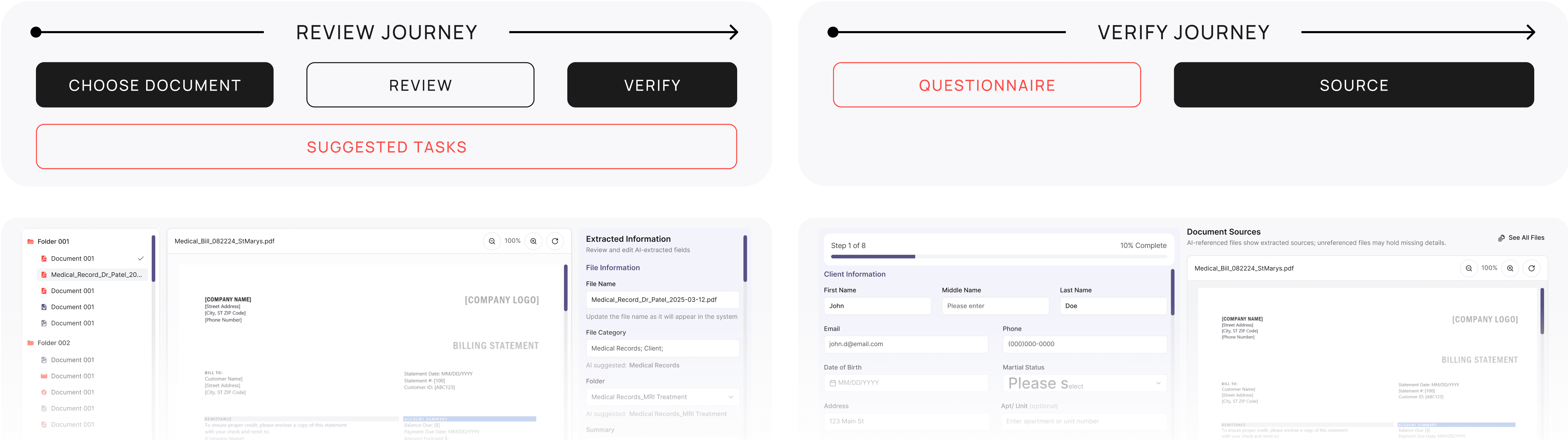
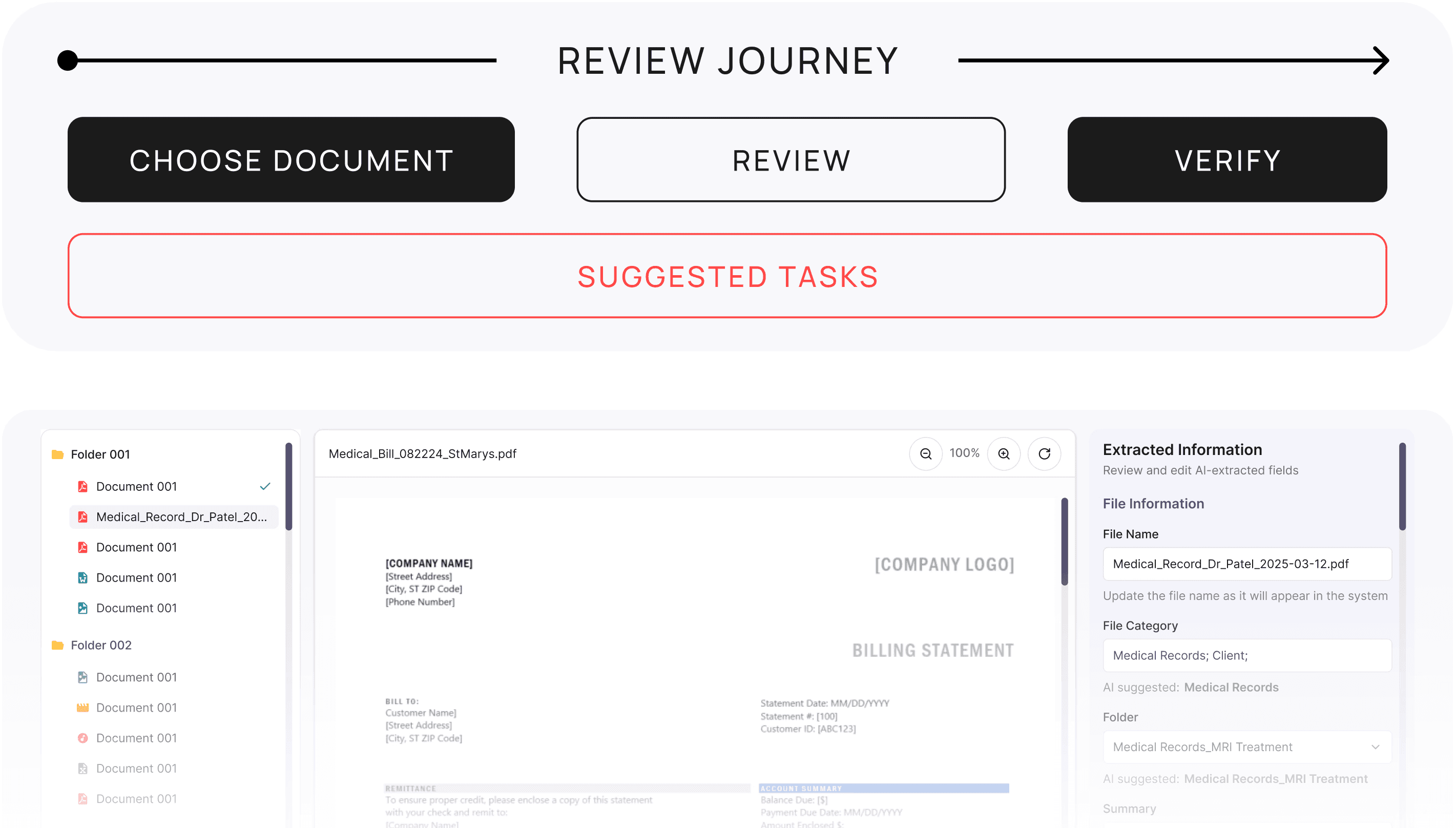
The mental model of this experience is built around the review journey: starting with selecting a document, moving through understanding its content, and ending with validating AI-extracted data associated with that document.
By grounding the design in this flow—Navigate → Read → Validate—we provide users with a clear sense of progression while keeping the complexity of AI-assisted review intuitive and manageable.
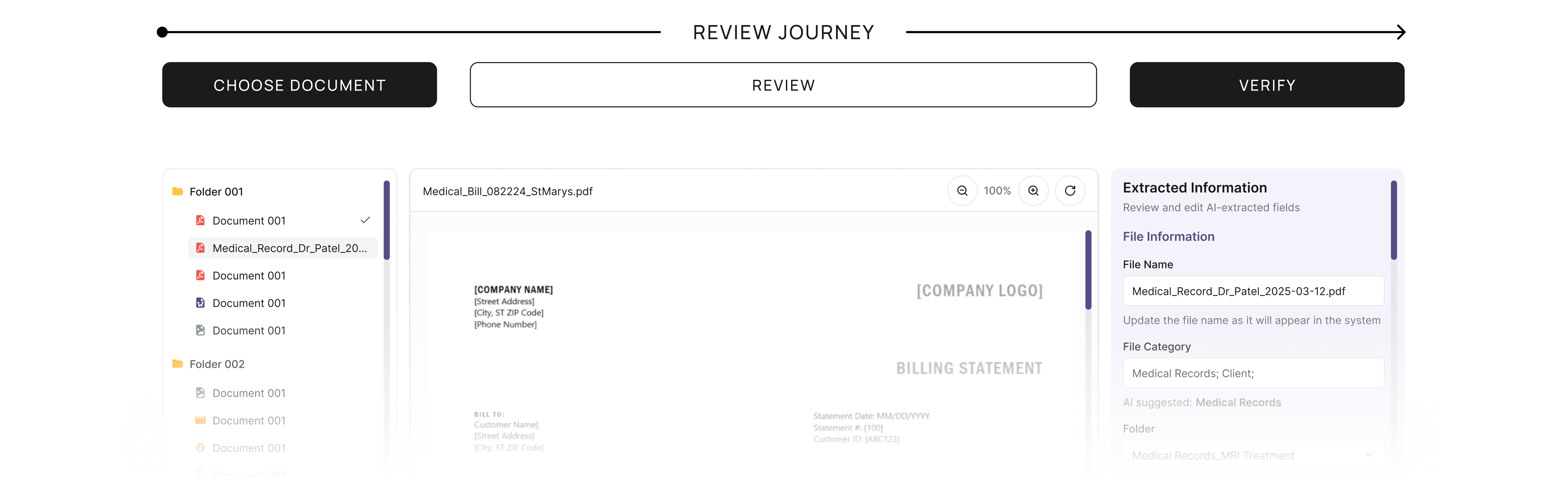

“3-Step” Structure
Step 1 of 3: Uploading
Document upload takes time, and edge cases—like failed uploads—require a dedicated space where users can track progress.
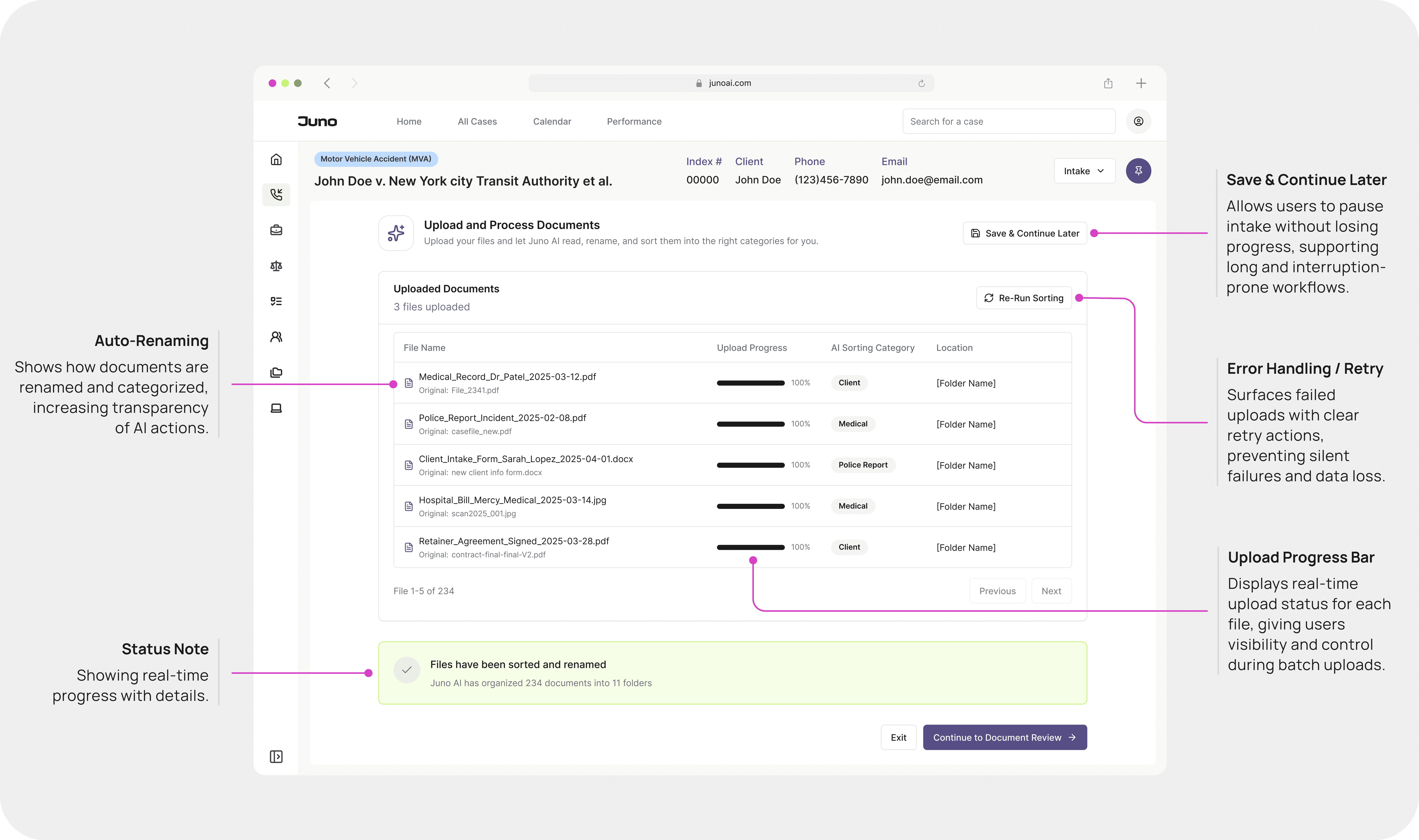
“3-Step” Structure
Step 2 of 3: Verifying
At the same time, we need to surface the auto-filled questionnaire alongside its sources, so users can review documents while verifying the information.
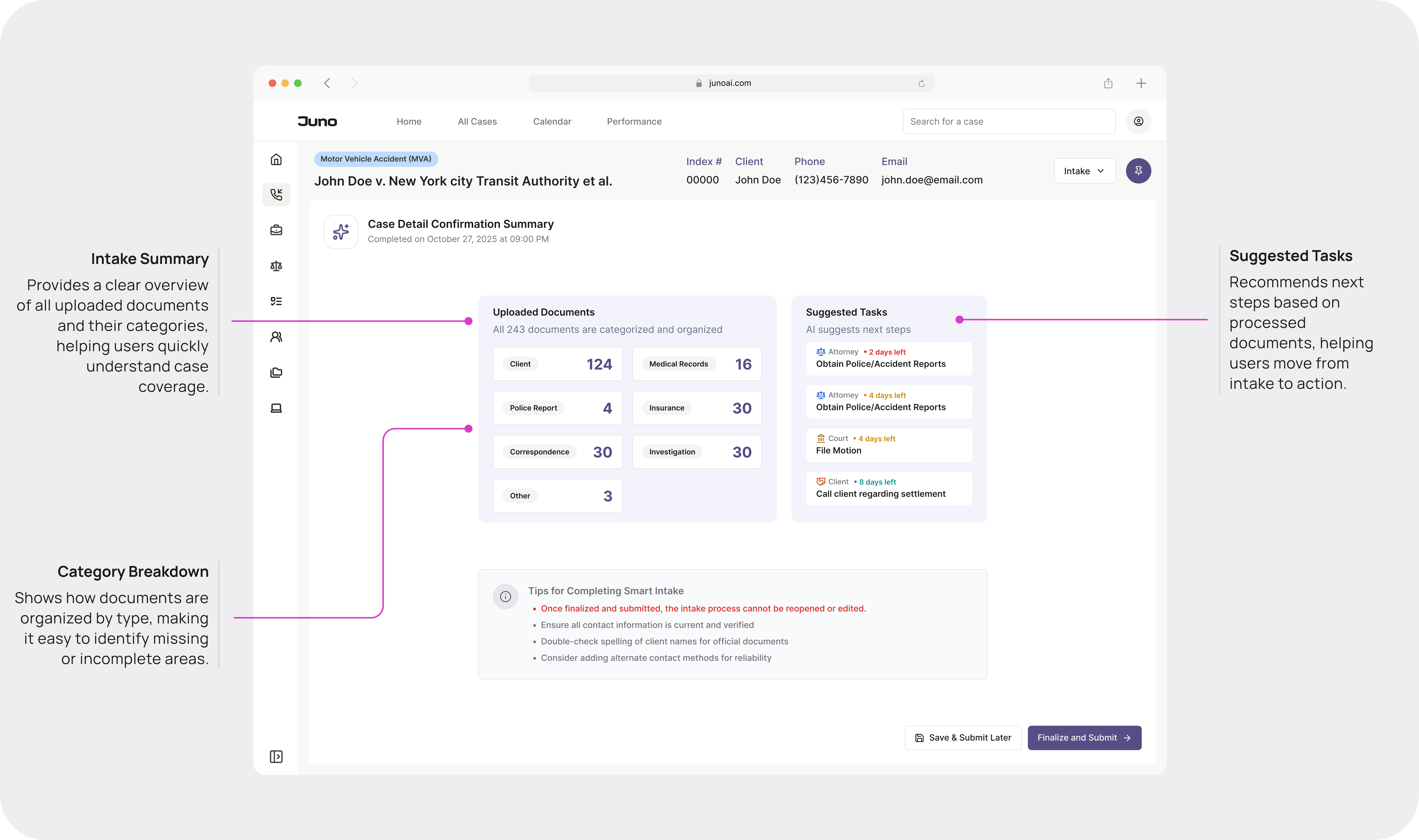
“3-Step” Structure
Step 3 of 3: Completing
Finally, a summary at the end of the intake process provides users with a clear sense of completion.
After the feedback, I made two design decisions:
Merge Tasks Into Review
I integrated suggested tasks into the review step to reduce context switching and support action at the moment of insight.
PART 1
Document Reviewing
PART 2
Summary + next steps
Design Principles Learned
Transparency is the product. Not a feature of the product — the product itself.
lesson learned
Transparency builds confidence.
Showing document sources and end-of-flow summaries makes AI results trustworthy.
lesson learned
Automation needs context.
Extracted data is directly linked to source documents, allowing users to verify information in context and ensure accuracy before it becomes part of the case record.
lesson learned
Balance ambition with capability.
A unified interface brings document navigation, reading, and validation into one view, reducing context switching and enabling a continuous review experience.
The Impact
Industry studies show that traditional litigation intake is highly time-consuming: a paralegal typically spends 5–7 hours reviewing, naming, categorizing, and extracting information from about 100 documents before a case can begin (ABA Legal Technology Survey, 2023; Thomson Reuters Legal Ops Benchmark, 2022).
With Juno AI Intake, the same workload is completed in under two minutes of automated processing, producing a structured, ready-to-review questionnaire. Even with 30–45 minutes of human verification, this represents an 85–90% reduction in onboarding time, turning what was once a full-day administrative task into a single, guided review session.
More importantly: we shifted AI from a passive tool to an active participant in legal work.
Lawyers who initially said "AI is too risky" are now using this system on real cases. The design made AI legible enough to trust — and that changed their behavior.
40+ component design system. Roughly 35% reduction in engineering handoff time. The patterns from intake became the foundation for every other workflow in the product — legal analysis, calendar, correspondence, document generation.
What I'd Do Differently
01/
Involve real-world feedback loops earlier.
Test earlier how legal professionals decide whether to trust AI-generated information
02/
Involve content design earlier
For better content — the way the AI explains its own reasoning in the UI with a designated tone.